"fixdisk" on USB mounted disk

MymsMan

Ad detector
Not a Humax or CF issue as such but is it possible to do the equivalent of Fixdisk on a USB mounted disk?

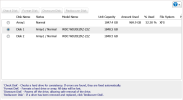
I have a Buffalo LS220D RAID NAS with 2 2TB disks inside and it has reported a disk error on disk2 with no further details of the nature of the error and action to 'Replace Disk'
I will do so if it is really needed but would like to know what is really wrong and whether any disk repair is worth attempting.

I don't have any Linux based PCs but can take the disks out of the NAS and mount them on the Humax as USB drives and both drives appear readable, I can't read the individual files stored on the NAS because presumably Buffalo is doing its own storage allocation within the 183M hddrootfs.buffalo.updated.done file!
Code:
 ls -a -h -l /media/gpt-drive6
total 200M
drwxr-xr-x  3 root root 4.0K Aug 30 22:47 .
drwxr-xr-x 13 root root  320 Oct 17 15:54 ..
-rw-r--r--  1 root root  43K Aug 30 21:46 conf_save.tgz
drwxr-xr-x  2 root root 4.0K Jul 18  2018 grub
-rw-r--r--  1 root root 183M Dec 15  2021 hddrootfs.buffalo.updated.done
-rw-r--r--  1 root root  12M Dec 15  2021 initrd.buffalo
-rw-r--r--  1 root root    0 Jul 18  2018 nonandupdate
-rwxr-xr-x  1 root root 651K Dec 15  2021 u-boot-ls210.buffalo
-rwxr-xr-x  1 root root 651K Nov 18  2019 u-boot-ls210.buffalo.org
-rwxr-xr-x  1 root root 706K Dec 15  2021 u-boot.buffalo
-rwxr-xr-x  1 root root 706K Nov 18  2019 u-boot.buffalo.org
-rwxr-xr-x  1 root root  200 Dec 15  2021 u-boot.files
-rw-r--r--  1 root root 2.8M Dec  6  2021 uImage.buffalo
There was quite a bit of fluff in the enclosure which I have cleaned out,
I have reinstalled the disks and rebuilt the NAS (which is 52% full) and it is currently running without error but it would be nice to know what to do should the problem recur
 
Last edited:
Not a Humax or CF issue as such but is it possible to do the equivalent of Fixdisk on a USB mounted disk?
About all you can do is try and get the SMART stats. off it and see if that's what it's unhappy about. Possibly followed by a "long" test, depending. (Does the NAS not have this facility itself?)
Sometimes this works without any hassles, sometimes it needs an extra parameter on the smartctl command line, and sometimes it's just incompatible with your USB adapter and you need to attach it to a real SATA port.
If the last applies, probably the best thing to do is to select maintenance mode on the HDR and then shutdown. Switch the disks and power on. Then hopefully you can run the tool without anything nasty happening to the disk.
I have a Buffalo LS220D RAID NAS with 2 2TB disks inside
Presumably RAID 1 then.
I don't have any Linux based PCs but can take the disks out of the NAS and mount them on the Humax as USB drives and both drives appear readable,
What's the partition layout?
I can't read the individual files stored on the NAS because presumably Buffalo is doing its own storage allocation within the 183M hddrootfs.buffalo.updated.done file!
I think not. If it's 50% full, then you have about 1TB of data, do you not? That will be somewhere else on the disk, not in the 200MB that you showed, which looks like something to do with the operating software for the box itself.
You really don't want to be mounting any filesystems read/write either - read only is acceptable of course.
it would be nice to know what to do should the problem recur
Buy a spare disk! How old are the existing ones? Presumably the same age too...
 
DF shows 1 GPT drive mounted but much smaller than the actual 2TB
Code:
/dev/sdc1               968.7M    216.7M    752.0M  22% /media/gpt-drive11
But Media shows several other empty gpt-drives
Code:
cd /media
humax /media # ls
total 9
drwxr-xr-x 17 root root  400 Oct 17 21:54 .
drwxr-xr-x 18 root root  183 Apr 15  2020 ..
lrwxrwxrwx  1 root root   17 Oct 17 10:26 My Music -> /mnt/hd2/My Music
lrwxrwxrwx  1 root root   17 Oct 17 10:26 My Photo -> /mnt/hd2/My Photo
lrwxrwxrwx  1 root root   17 Oct 17 10:26 My Video -> /mnt/hd2/My Video
drwxrwxrwx  3 root root 4096 Apr 15  2021 drive1
drwxrwxrwx  2 root root   40 Oct 17 15:54 gpt-drive1
drwxrwxrwx  2 root root   40 Oct 17 15:54 gpt-drive10
drwxr-xr-x  3 root root 4096 Oct 17 21:44 gpt-drive11
drwxrwxrwx  2 root root   40 Oct 17 21:54 gpt-drive12
drwxrwxrwx  2 root root   40 Oct 17 21:54 gpt-drive13
drwxrwxrwx  2 root root   40 Oct 17 21:54 gpt-drive14
drwxrwxrwx  2 root root   40 Oct 17 15:47 gpt-drive2
drwxrwxrwx  2 root root   40 Oct 17 15:47 gpt-drive3
drwxrwxrwx  2 root root   40 Oct 17 15:47 gpt-drive4
drwxrwxrwx  2 root root   40 Oct 17 15:47 gpt-drive5
drwxrwxrwx  2 root root   40 Oct 17 21:54 gpt-drive6
drwxrwxrwx  2 root root   40 Oct 17 15:54 gpt-drive7
drwxrwxrwx  2 root root   40 Oct 17 15:54 gpt-drive8
drwxrwxrwx  2 root root   40 Oct 17 15:54 gpt-drive9
humax /media # ls -ahl gpt-drive11
total 200M
drwxr-xr-x  3 root root 4.0K Oct 17 21:44 .
drwxr-xr-x 17 root root  400 Oct 17 21:54 ..
-rw-r--r--  1 root root  43K Oct 17 21:44 conf_save.tgz
drwxr-xr-x  2 root root 4.0K Jul 18  2018 grub
-rw-r--r--  1 root root 183M Dec 15  2021 hddrootfs.buffalo.updated.done
-rw-r--r--  1 root root  12M Dec 15  2021 initrd.buffalo
-rw-r--r--  1 root root 280K Oct 17 21:44 log.tgz
-rw-r--r--  1 root root    0 Jul 18  2018 nonandupdate
-rwxr-xr-x  1 root root 651K Dec 15  2021 u-boot-ls210.buffalo
-rwxr-xr-x  1 root root 651K Nov 18  2019 u-boot-ls210.buffalo.org
-rwxr-xr-x  1 root root 706K Dec 15  2021 u-boot.buffalo
-rwxr-xr-x  1 root root 706K Nov 18  2019 u-boot.buffalo.org
-rwxr-xr-x  1 root root  200 Dec 15  2021 u-boot.files
-rw-r--r--  1 root root 2.8M Dec  6  2021 uImage.buffalo
humax /media # ls -ahl gpt-drive11/grub
total 12K
drwxr-xr-x 2 root root 4.0K Jul 18  2018 .
drwxr-xr-x 3 root root 4.0K Oct 17 21:44 ..
-rw-r--r-- 1 root root    0 Jul 18  2018 grub.cfg
-rw-r--r-- 1 root root   68 Jul 18  2018 grubenv
humax /media # ls -ahl gpt-drive12
total 0
drwxrwxrwx  2 root root  40 Oct 17 21:54 .
drwxr-xr-x 17 root root 400 Oct 17 21:54 ..
humax /media # ls -ahl gpt-drive13
total 0
drwxrwxrwx  2 root root  40 Oct 17 21:54 .
drwxr-xr-x 17 root root 400 Oct 17 21:54 ..
humax /media # ls -ahl gpt-drive14
total 0
drwxrwxrwx  2 root root  40 Oct 17 21:54 .
drwxr-xr-x 17 root root 400 Oct 17 21:54 ..

Smart is not helpful :(

Code:
 smartctl -a /dev/sdc1
smartctl 6.4 2015-06-04 r4109 [7405b0-smp-linux-2.6.18-7.1] (local build)
Copyright (C) 2002-15, Bruce Allen, Christian Franke, www.smartmontools.org

=== START OF INFORMATION SECTION ===
Vendor:               WDC WD20
Product:              EZRZ-22Z5HB0
Revision:             4101
Compliance:           SPC-4
User Capacity:        2,000,398,934,016 bytes [2.00 TB]
Logical block size:   512 bytes
LB provisioning type: unreported, LBPME=-1, LBPRZ=0
Logical Unit id:      0x3023567832183100
Serial number:        235678C218CA
Device type:          disk
Local Time is:        Sat Oct 17 22:15:13 2026 BST
SMART support is:     Unavailable - device lacks SMART capability.

=== START OF READ SMART DATA SECTION ===

Error Counter logging not supported

No self-tests have been logged

1792272389153.png
NAS is 6 years old but a mere youngster compared to the Humax disk!
 
You need to be careful because in Linux (your NAS is almost certainly running Linux) there are specific RAID file systems and the OS knows it's dealing with RAID, regardless that the RAID might be a simple mirrored pair of drives
 
DF shows 1 GPT drive mounted but much smaller than the actual 2TB
gdisk -l /dev/sdc shows you the GPT partition table.
You can't read XFS filesystems on the Humax.
Your disks are apparently cheapo desktop class drives without SMART - nice for a NAS, NOT! 2 year warranty, and you've had 5 out of them - that's considered a success.
This is one of the reasons I avoided buying a NAS unit 10-12 years ago and did it myself on the PC instead. I knew what I was buying and how it worked.
I'd be replacing them with NAS class drives, which often come with 5 year warranty. Depends how much you value the data and whether you have backups etc.

I tried using a desktop drive in RAID and it failed just after the warranty expired. The other original NAS class drive I think got replaced as well and its replacement is still going, as is the desktop's replacement.
I have a nice stock of (fairly lightly used) 2TB spares (well, they would only have ended up in the bin, like several of their siblings did 😥 ) and three rotating generations of backups, split between two sites. And a manual RAID-1 of PVRs.
 
I had (have) a RAID controller running a bank of drives, but I've fallen back to JBOD (just a bank of disks) operation because it got really upset with the non-NAS drive hand-me-downs I was using. In fact, at the moment, it's not plugged in and I'm just running the principle drive on straight SATA, but the OS knows that drive should belong in a RAID.
 
gdisk -l /dev/sdc shows you the GPT partition table.
You can't read XFS filesystems on the Humax.
Your disks are apparently cheapo desktop class drives without SMART - nice for a NAS, NOT! 2 year warranty, and you've had 5 out of them - that's considered a success.
The disks are WD Blue which should have come with SMART, so far the NAS is not complaining so I wont explore gdisk yet

I have no real need for RAID or such a large NAS - it has never been used as much as originally anticipated and doesn't contain anything of vital importance

I have a nice stock of (fairly lightly used) 2TB spares (well, they would only have ended up in the bin, like several of their siblings did 😥 ) and three rotating generations of backups, split between two sites.
Lucky you! My largest PC HDD was 1TB and with the move to SSD most laptops now come with much small SSDs

I know "Inexpensive" was dropped from the RAID acronym many years ago but having spent <£150 for the 4TB NAS originally it was a bit of a shock to see that WD now want that for a single WD Red 2TB NAS drive, The WD Blue is even more expensive (3.5" not currently available)
Years of ever decreasing storage prices seem to have come to an end! I will hold off from exploring the murky world of used disk sales until it becomes necessary!
 
Back
Top