• The forum software that supports hummy.tv has been upgraded to XenForo 2.3!

    Please bear with us as we continue to tweak things, and feel free to post any questions, issues or suggestions in the upgrade thread.

RS not loading new items into db.

antipodean

Active Member
I have had a problem for a few weeks now where any attempt to set up a new program to record or delete an existing entry leaves the entry "pending" until I reboot the Hummy.

I was a bit behind with the OS and CF, so have updated those using the most recent download to
Humax Version: 1.03.12 (kernel HDR_CFW_3.14) thinking that may fix the problem, but it hasn't.

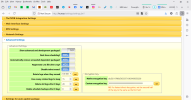
IIRC when the ability to directly inject changes into the db was brought in there was something that needed to be done to enable it, but I have looked through the settings and cannot see anything that may fit the criteria for turning this on. I have no idea how it got turned off, if that is what has happened.

I need to reboot the hummy wether I enter changes from the RS or the WebIF.
 
Now that is strange. Mine isn't showing that option, even though I have just updated to 3.14. Attempting to do a package update/upgrade under packages says there is nothing to do.
 
It is possible that flash resident package have been disabled following a crash, try running the fix-flash-packagesdiagnostic (on Diag page) and rebbooting
 
It is possible that flash resident package have been disabled following a crash, try running the fix-flash-packagesdiagnostic (on Diag page) and rebbooting
Have run that to make sure, but I would have thought that would have also been sorted when I installed the 3.14 CF.

Still not getting the RTS entry in advanced settings. It has the feeling of a relevant module that does the db injection not being there.
 
I would have thought that would have also been sorted when I installed the 3.14 CF.
Why? What's installing firmware got to do with fixing broken packages?
It has the feeling of a relevant module that does the db injection not being there.
Indeed. Have you got anything in the recording schedule? If not, create a dummy manual entry for something far in the future.
Run nugget ping or nugget status from a command prompt to confirm what's happening.
 
Why? What's installing firmware got to do with fixing broken packages?

Indeed. Have you got anything in the recording schedule? If not, create a dummy manual entry for something far in the future.
Run nugget ping or nugget status from a command prompt to confirm what's happening.
I would have expected it to completely install the software, after all the down load used is for installing on an otherwise virgin system, so all required bits of software should be there.

Sorry I have been unwell for a couple of days, but will get to the nugget log soon.
 
the down load used is for installing on an otherwise virgin system, so all required bits of software should be there.
The firmware download does NOT contain any packages at all. No WebIf, no nothing. You get a Telnet server (and with 3.14 a Webshell server), a few utility programs, and a simple web server which just allows you to 'bootstrap' the rest of the system by starting with the WebIf install - but you still need to do it manually.
 
Instead of PuTTY, try WebIF >> Diagnostics >> Command Line (install webshell if necessary). It's simple enough to copy&paste from there.

And no, you're confusing the base firmware with software packages. They are separate things, handled in completely different ways (except there is a slight confusion because the base firmware can now be updated by a package, instead of having to use a USB stick). Reflashing the firmware does not and cannot interfere with the software side.
 
Last edited:
What does tail -30 /mod/tmp/rsvsync.log say?
Has the box recorded anything since Dec. 14? What if you try a manually scheduled test recording and then look in the nugget.log again?
Perhaps try reinstalling the rsvsync package:
Code:
opkg remove --force-depends rsvsync
opkg install rsvsync
and reboot and repeat tests.
 
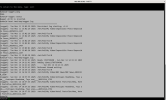
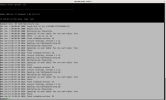
Problems trying to copy from Putty, so I'll use a screen shot.

View attachment 7648
So it appears no log messages for the last month! Pity, I would have hoped to see some initialization error message

Can you try posting the xinit.log
cat /var/log/xinit.log

To copy in Putty just drag the mouse to highlight the text (no need for ctrl-C), for paste just right click mouse.
 
What does tail -30 /mod/tmp/rsvsync.log say?
Has the box recorded anything since Dec. 14? What if you try a manually scheduled test recording and then look in the nugget.log again?
Perhaps try reinstalling the rsvsync package:
Code:
opkg remove --force-depends rsvsync
opkg install rsvsync
and reboot and repeat tests.
Yes, the box has recorded lots of things since mid-Dec. rarely do we watch anything straight from air, it all gets time shifted as a minimum.
I'll do the other bits later.

Instead of PuTTY, try WebIF >> Diagnostics >> Command Line (install webshell if necessary). It's simple enough to copy&paste from there.

And no, you're confusing the base firmware with software packages. They are separate things, handled in completely different ways (except there is a slight confusion because the base firmware can now be updated by a package, instead of having to use a USB stick). Reflashing the firmware does not and cannot interfere with the software side.
Yeah, I see that now, but so far asking it to refresh flash packages hasn't changed anything. I'll re-install rsvsync as prpr suggests later. when it is in quiet mode and i'm not trying to watch something.
 
Back
Top