OP

Black Hole
May contain traces of nut
My Internet speed has been consistently better since I ran some speed tests. Curious that.

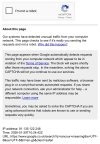
Looks like AI trying to be too clever.What's going on here? It's been popping up when I run a search from the browser bar – anyone else getting similar?
View attachment 7680
Or BH rapidly sending requests to anything with a pulse on dating appsLooks like AI trying to be too clever.


I don't usually use Google but I switched (temporarily) to it and didn't get the message. Probably didn't do enough searching to trigger it. One possibility is that you or someone using the same ISP have been bombarding Google with rapid requests. I've had similar messages from other sites when I've only accessed it once. As far as I could tell I wasn't infected with a virus/bot or whatever. So it must be another user(s) on the same ISP (?).What's going on here? It's been popping up when I run a search from the browser bar – anyone else getting similar?
View attachment 7680
For i,j in something
    # some code
    if raw < T:
        continue
    # some more code
# end of loopFor i,j in something
# some code
if raw >= T:
# some more code
# end for loop
I use whatever feels right in each particular case, but generally would do what you suggest. Sometimes if the indentation level gets too annoying I'll stick the "continue" or "break" in, but generally that means the function needs splitting up anyway.I think it hampers clarity and complicates debugging. What do other programmers think?
All true, and excessive nesting is a right pain.That way, the "break" (if the exception is true) is only one line and nested +1, while the non-exception code doesn't need to be nested at all.
I've written one very short program and waded through other people's code. I only quoted Python as this appeared to be what was listed on "Tech Now". I would have preferred C or, at a push, C++ or Java.I have no idea about Python,
Well, I presume that would then mean no access to a real DNS for everything else, so no!And you'd need your DHCP server to tell its clients the address (can it?).
Yes it would have to take over DHCP, but that means something else having to run 24/7. At least it could be physically local to the router.Use a Raspberry Pi
Do they? Sounds like a plan, but for the moment I'll handle the local DNS using neural processing!Get a better router which has DNS capability built in.

.internal (or your own preference - noting any conflict with registered top-level domains or those reserved for other purposes) and set "Forward local domain queries to upstream DNS" to "No".
Well obviously you presume wrongly.Well, I presume that would then mean no access to a real DNS for everything else, so no!
Mine does. I can't speak for any of the domestic cr@p since I haven't used it for about 10 years. My former DG834s were set to bridge mode and just used as modems until they got replaced with VDSL/fibre equivalents.Do they?
I use ".lan". I thought ".local" was reserved for mDNS use only.set your router's local DHCP domain name to 'home' or 'local'
My mistake. Edited my earlier message.I use ".lan". I thought ".local" was reserved for mDNS use only.
To configure my DHCP to "tell its clients" about a local dnsmasq server running on a HDR-FOX means not telling them about a proper DNS.Well obviously you presume wrongly.I presume that would then mean no access to a real DNS for everything else, so no!And you'd need your DHCP server to tell its clients the address (can it?).