HDR-FOX-T2 not seeing firmware file on the flash stick, and a "Russ Andrews upgraded" unit with fake boards added

peterh337

Member
The Humax system info says:
Software version FHTCP 1.02.20
Loader version a7.31
Update date 10 Jun 2014

I have it on a fixed IP (not DHCP) and ping sees it OK.

The flash stick is 4GB and formatted to FAT32.

The firmware file is
and I put the extracted update file (from inside the above zip) on the flash stick. I have only one USB socket that I can see.

Now the fun bit: It was bought on Ebay 5-10 years ago. It is a rebuilt unit with an IEC mains connector on the back. A sticker on the back says Upgraded By, then a longhand signature/squiggle I can't read, then Solutions for better music and movies. I wonder if they prevented a firmware upgrade?

I have tried the mains disconnect as well but nothing seems to detect the flash stick.

I would appreciate any suggestions.

About 10 years ago I loaded custom firmware into another Humax and it was quite handy for converting recordings to mp4. Now I understand you can set recordings remotely (LAN/VPN - I have all that set up with e.g, RDP) and that would be really handy.

Should the stock firmware any any sort of browser interface? Going to the IP with a browser finds nothing.

EDIT: Above was with a 4GB Transcend flash stick. Then I tried it with a 16GB Cruiser Blade and it picked up the firmware this time. For some 5-10 mins it was stuck at 91% download but eventually it got to 100%, saying Press STANDBY button to restart. One has to remove the flash stick then otherwise it will download it again :)

Now I have the box back so will have a play. I thought about deleting this post but it may be useful to someone in that the smallest/oldest flash stick doesn't necessarily work best :)

Installed the web interface. It reports some disk faults to do with uncorrectable sectors. Does the box have two SATA interfaces so one could clone the HD to an SSD? Or I could take the HD out and use DD (in Clonezilla) to copy it to an SSD. I use SLC SSDs for best reliability.

A curious Q: is there an updated Iplayer application? The one in the Humax stopped working years ago, as they all do after some years.
 
Last edited:
The Humax is very picky about which USB sticks it accepts, formatting the stick on Windows can cause it to become unusable see this post from yesterday

I seem to remember an old thead about a company that sold "upgraded" Humax units for silly money. They replaced capacitors and other components with higher spec versions. One of the most common hardware failures, easily repaired, is a blown capacitor so their units may be a bit more long lasting than a standard unit but probably not worth the money

Iplayer is no longer supported on the humax.
 
Last edited:
It reports some disk faults to do with uncorrectable sectors. Does the box have two SATA interfaces so one could clone the HD to an SSD? Or I could take the HD out and use DD (in Clonezilla) to copy it to an SSD. I use SLC SSDs for best reliability.
Just run fixdisk from WebIF >> Diagnostics. Full instructions HERE.

SSDs are a waste of £/GB in a HDR-FOX, but you can if you want (particularly with modern SSDs – old ones didn't have the necessary write longevity for PVR use with a live pause capability). Just fit it and format in-box, import content from the old HDD via USB. See HDR-FOX HDD Replacement.

I have only one USB socket that I can see.
There's one on the front and one on the back (under the Ethernet port).

Should the stock firmware any any sort of browser interface?
No it ****ing shouldn't. What do you think the CF is for??!

I would appreciate any suggestions.
Check it's not been made GPT by Windows (instead of MBR).

For some 5-10 mins it was stuck at 91% download
Normal.

It is a rebuilt unit with an IEC mains connector on the back. A sticker on the back says Upgraded By, then a longhand signature/squiggle I can't read, then Solutions for better music and movies.
A detachable mains lead doesn't sound like much of an upgrade.
I wonder if they prevented a firmware upgrade?
Wonder how much you like, but I don't see how they could (without also disabling other key features).

Most if not all of your questions were answered years ago, here: Quick Guide to Custom Firmware (click)
 
Thank you. I did read the forum for a while before posting. In the end it was just a "wrong" flash stick. BTW I do know about the win11 GPT stuff; I did a normal FAT32 format in a win7-64 machine.

Presumably there is nothing wrong with removing and cloning the HD to one of same size, in another PC with two SAA interfaces, using Clonezilla or dd. It is a 1TB HD.

Can fixdisk be run somehow from the web interface GUI? Some of the posts are very old. I see Diag / Maintenance Mode and presumably one goes from there. I would prefer to not break something...
 
I did a normal FAT32 format in a win7-64 machine.
The file system is irrelevant, GPT vs. MBR is the partitioning (a file system is configured once the drive is partitioned). Windows (post-Win7) has a habit of converting anything it can get its hands on into GPT without so much as a by-your-leave, because with GPT come UUIDs etc etc so that Microsoft can behave like Big Brother.

Just saying a drive is "FAT32" is not sufficient to say it is also MBR.
 
Windows (post-Win7) has a habit of converting anything it can get its hands on into GPT
Does it?
I've reformatted various pen drives (or whatever you want to call them) to NTFS and FAT32 under Windows 11. They definitely stayed MBR.
 
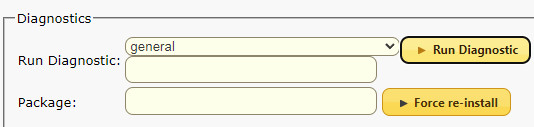
I must be stupid but I cannot find a way to run fixdisk. I have enabled maintenance mode. Do I need a telnet client (e.g. Putty) on the HDR IP? Reading the instructions it sounds like this is built into the web interface. I see
202601245519952413.jpg


so presumably one types fixdisk somewhere, but nothing works.
 
I must be stupid but I cannot find a way to run fixdisk. I have enabled maintenance mode.
Read the instructions and reboot. Your browser will reconnect and then it should be obvious.
I don't know how this can be made any simpler.
 
Does he need webshell installed, or is that automatic these days?

Edit: oh, no, I see you don't (from the link I provided):

If you have just now installed CF specifically to fix your disk, all you need to do to access the command line interface (also known as Telnet) is enter the HDR-FOX's IP address into your web browser's address bar. [Valid for CF 3.11 and later]

In summary, once you've booted into Maintenance Mode, just do it!
 
Last edited:
You don't need the "Command line" option for this. You enable Maintenance Mode on next reboot, and... reboot. As I said before.
 
A detachable mains lead doesn't sound like much of an upgrade.
I beg to differ. I find it a complete pain in the neck that of all my hifi gear, the HDR Fox T2 is the only thing without a detachable mains lead. That means hacking the plug off if you want a shorter lead, and using an extender if you want a longer lead (as I have to do with one of mine on the top shelf of my rack)).
 
Only if you have 3.13 or earlier. It is not needed with 3.14 - the server runs on port 88 all the time.
I've been reading all postings on hummy.tv for at least a year before 3.14 was released and I was not aware of that. I have searched the 3.14 thread and the text "88" does not appear anywhere in it.
 
Now the fun bit: It was bought on Ebay 5-10 years ago. It is a rebuilt unit with an IEC mains connector on the back. A sticker on the back says Upgraded By, then a longhand signature/squiggle I can't read, then Solutions for better music and movies. I wonder if they prevented a firmware upgrade?
Could this have been modified by Russ Andrews?

 
I beg to differ. I find it a complete pain in the neck that of all my hifi gear, the HDR Fox T2 is the only thing without a detachable mains lead.
Agreed. It's still not what I would call an upgrade though (by Rip-off Russ or whoever - how exactly do they modify the aerial input, given it goes straight in to the tuner can; what's the point of audio grade power supply capacitors for a digital output; how do they upgrade the HDMI output; different feet is potentially useful and something I could do with to stop resounding).
I have searched the 3.14 thread and the text "88" does not appear anywhere in it.
Because most of the time you don't need it. During normal operation, the WebIf provides the option to get to the Webshell server. When in Maintenance Mode the bootstrap server redirects you to port 88 on selecting the Administration Menu option.
 
Last edited:
Rip-off Russ or whoever
Two years ago I needed to recap my parents Arcam T32 DAB/FM tuner, the bulging caps were obvious. Replacements of the correct ratings that would physically fit were not easy to find so I asked Russ Andrews if I could buy the caps for their upgrade of the T32. I got a resounding no as an answer, all they would do is fit their upgrade to the tuner and charge extra for the repair work they needed to do as well for several hundred quid. Eventually I found some Panasonics that would fit, £30 quid for the lot in small quantity.
 
Back
Top