[rs] Remote Scheduling v1

You can go in to Maintenance Mode and use the "epg" option to clear the data. The Humax software should clear this out but it only does 99% of the job rather than 100%.
I've got an idea for a fix, but it needs a supply of circular tuits.
You can also do this manually from a command prompt if you want to do it a bit quicker:
Code:
/etc/init.d/S90settop shut
rm /mnt/hd1/dvb/epg.dat
reboot
Thank you - I would be happy to try that
Before I do, can I ask:
  • How long can I expect to wait for the EPG to rebuild?
  • Will this affect any of my reservations?
 
How long can I expect to wait for the EPG to rebuild?
It depends which mux. you are tuned to. If you leave it on PSB1 for 5 minutes after reboot then you will have the complete 8 days for all muxes. The WebIf EPG rebuilds within a minute of the Humax software writing the data to disk.
PSB3 probably works the same, although it has been known to take 9 minutes sometimes (I don't know why).
COM4/5/6 are probably about 10 mins. Local might be a bit slower.
PSB2 was a complete mess the last time I tested it - don't leave your box sat on any of its services and expect things to work properly. I should get round to doing a re-test to see if they have done anything...
Will this affect any of my reservations?
No.
 
Running the diagnostic just reports - it doesn't DO anything.

Yesterday my epgrange was
Code:
diag epgrange
Running: epgrange
Sat Oct 24 06:45:00 BST 2026
Wed Dec  2 23:55:00 GMT 2026
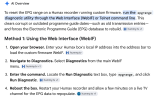
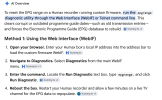
Google AI can be remarkably convincing.
1795810592843.png

When I ran epgrange again after a reboot the date showed the range had been updated!
Code:
diag epgrange
Running: epgrange
Thu Nov 26 00:00:00 GMT 2026
Thu Dec  3 23:50:00 GMT 2026
I hadn't done anything else to reset the epg so it certainly appeared that eprange had done the job!
 

Attachments

  • 1795810321925.png
    1795810321925.png
    98.9 KB · Views: 1
Last edited:
Google AI can be remarkably convincing.
It might be, but it's complete and utter bollocks (in this case).
Here is mine:
Code:
humax ~ # diag epgrange
Running: epgrange
Sun Nov  8 02:50:00 GMT 2026
Fri Dec  4 23:55:00 GMT 2026
Then I rebooted and ran it again:
Code:
humax ~ # diag epgrange
Running: epgrange
Sun Nov  8 02:50:00 GMT 2026
Fri Dec  4 23:55:00 GMT 2026
Spot the difference? No, me neither, 'cos there ain't any.
I hadn't done anything else to reset the epg so it certainly appeared that eprange had done the job!
It hasn't done anything. The reboot has prompted the Humax software to clean up (properly in this case). It mostly doesn't in my experience.
Here's another test if you still don't believe me and insist the stupid AI is correct:
Code:
humax ~ # md5sum /mnt/hd1/dvbepg/epg.dat; diag epgrange; md5sum /mnt/hd1/dvbepg/epg.dat
2540a3f753ad7e724a1539a5fa30114d  /mnt/hd1/dvbepg/epg.dat
Running: epgrange
Sun Nov  8 02:50:00 GMT 2026
Fri Dec  4 23:55:00 GMT 2026
2540a3f753ad7e724a1539a5fa30114d  /mnt/hd1/dvbepg/epg.dat
If the diagnostic was doing anything, the file would be different, would it not? (As long as you don't unluckily catch it in the short time it is actually updating the data in the file; try again in a few seconds.)
You can read the source code for the epg utility if you still don't believe me (the diagnostic runs epg first and epg last).
This is the only really relevant bit you need to see: open(epg->fname, O_RDONLY, 0)
 
Last edited:
Back
Top