Streaming to iPad tablet?

If it’s possible, could someone please point me to how to configure the iPad to connect to a Humax?
The Humax has network-shares and SMB (NFS is there but not used for Humax-Humax connections).

I tried looking but the search won't accept the VLC term.
Maybe VLC is nit the easiest media player for this?
 
Yes, use the VLC app. You don't need network-shares-automount (that's for mounting external shares into the HDR-FOX's file system so they can be treated as USB storage). You can access the HDR-FOX's DLNA share, or an SMB service (sambe package), from VLC's media menu.

You might even see the shares from the Files app, and use the default iOS player, but VLC handles anything you throw at it.

I tried looking but the search won't accept the VLC term.
See "Newbies' Guide to the Forum" (click), section about searching.
 
You could search for " VLC" since that is 4 letters, also "VLC ".
Weird, tried " VLC" and "VLC " including the double quotes, they don't work (get "The search could not be completed because the search keywords were too short, too long, or too common").
But VLC Player works (no quotes) - and it highlights VLC in bold as a searched keyword in the results! EDIT: even though "The following words were not included in your search because they are too short, too long, or too common: VLC" shows at the top.
 
Yes, use the VLC app. You don't need network-shares-automount (that's for mounting external shares into the HDR-FOX's file system so they can be treated as USB storage). You can access the HDR-FOX's DLNA share, or an SMB service (sambe package), from VLC's media menu.

You might even see the shares from the Files app, and use the default iOS player, but VLC handles anything you throw at it.


See "Newbies' Guide to the Forum" (click), section about searching.
Okay, I've shutdown the network-share, cifs and NFS services. Samba is running.

I'm having problems getting a useful media list on vlc, let alone play anything.
Best I have got is setting up a FTP to my humax on 192.168.1.214, default port 21, user HumaxFTP and my humax 4 digit pin.
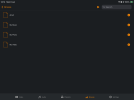
Get My Video listed but entering flashes the screen quickly saying playback failed. 2 images attached (in a code block, this okay?).

IMG_1964.png

IMG_1966.png

I don't know how to see the DLNA content. If its automatic its not showing.

Note. I do have the dnla-filter package installed, setting is blank.
Are there any dlna naming restrictions? I had mine down as as -Humax 4. Changed to Humax4-DLNA (but not restarted yet).

Also i think I have to disable my CyberGhost VPN to get anything working. I thought the VPN would bypass the local network. I can’t see a setting the iOS version of the app for this.

Forum searching.
I tried the FAQ searching for VLC, iPad with no result. Tried streaming with limited result (DLNA 4GiB limit).
 
Last edited:
Update.
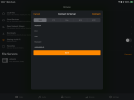
Ok, I can see within the VLC iOS app under File Servers;
HUMAX4
FILE SERVERS (SMB)

IMG_1968.png

However, accessing with default settings shows an animated working on the media list screen but then goes after a few seconds leaving an empty list.

IMG_1969.png
 
Last edited:
After rebooting, I now have a DLNA Server entry under VLC's File Servers within the Browse section, although SMB has disappeared!

Changes.
1. dlna-filer package: Changed blank to 192.168.1.211 (Humax1). I'm currently testing Humax4.
2. dlna-servername package: Changed -Humax 4 to Humax4-DLNA

Browse and playback work. I don't now about trick play or remembering playback position though…
 
Get My Video listed but entering flashes the screen quickly saying playback failed.
Have you decrypted?

Note also that VLC has a "prefer SMB1" setting.

Browse and playback work. I don't now about trick play or remembering playback position though…
You won't, not with DLNA.

You can try the File Explorer app too, I can see contents on there (not the native Files app).
 
Have you decrypted?

Note also that VLC has a "prefer SMB1" setting.


You won't, not with DLNA.

You can try the File Explorer app too, I can see contents on there (not the native Files app).
Yes, all decrypted. But problem was browsing content.
The DLNA is now working since the changes made above (probably the empty setting).
However I do have the SMB browsing but still empty.
Tried both SMB 1 settings in VLC but assume SMB 1 is preferred (at least without updating to samba β).

I played and stopped a recording with VLC via DLNA and it resumed playback. However maybe lost on reboot or VLC restart. Not sure whats keeping the position setting. No new file is created with the media file sets like a MP4 file would that I can see with telnet.

Update. VLC must keep a track of the media position within itself.
Option to ask resume, and position is kept on restarting VLC.

Q. Is there a better player that understands humax files?
I don't think there's a VLC add-in function for the iOS version. Perhaps one for the
PC version though .
 
Hmm. It used to work better than this, I've just had a fiddle with my updated iPad (iOS26) and it does not seem to be working so well.
 
Back
Top