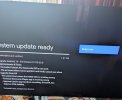
Update from android 9 to 14 - problem

When I first installed the update I did experience channel changing problems, selecting different channels could result in a blank screen, switching back and forth would sort that out.
This was when the update took the Aura to v1.00.57, a few days later v1.00.59 was released and that solved that particular issue.

Have you tried a channel rescan.
Of course, that was one of the purposes behind a factory reset.
I have also noticed today that the HDD is staying on when in standby as others have noted.
Now that you mention it, I've been hearing unusual disk access.
 
Not seen this announcement anywhere just using a bose soundbar with TV and humax connected with cctv on another source also connected to tv if I source to tv to watch Netflix or I go onto source for cctv my humax switches off and sound mutes from soundbar when the humax disconnects. I have to then use the correct remote to turn sound back on for that source. I've tried turning them all on to get this announcement nothing as yet.
Yes I think i have seen that screen pop up when I went and pressed connected devices on my TV but it just flashed and didnt give me time to press on anything. I could see it counting down. The screen didnt stay on long enough.
 
No they stopped manufacturing this model aura they brought a new one out with freely. Apparently this has extremley bad reviews worse than this one.
And there is always the possibility that this update contains elements that were made for the new AuraEZ and were just left in even though not legally obliged to be there, that may also explain why it is so buggy, Humax trying to fit square EZ code into a round Aura.
 
I admit I've added some chaff to the wheat in the winnowing but are there any old hands who can sort a list of what this upgrade actually improves and what glitches to look out for?
 
For my use, the improvements are:
  • no more random reboots when coming out of standby
  • faster responses to the remote, e.g. switching between the Freeview screens and the App screens.
Glitches are:
  • Kodi didn't work after the upgrade - but sorted out with a reinstall
  • FTP to the Aura isn't working
  • Pressing 'Enter' to start playback of a Freeview recording doesn't always work. The screen goes black as if playback is starting, then goes back to the list of recordings. This happens three or four times before it eventually works. This is a glitch I haven't mentioned before, and I haven't seen anyone else mention it.
 
I admit I've added some chaff to the wheat in the winnowing but are there any old hands who can sort a list of what this upgrade actually improves and what glitches to look out for?

For my use, the improvements are:
  • no more random reboots when coming out of standby
  • faster responses to the remote, e.g. switching between the Freeview screens and the App screens.
Glitches are:
  • Kodi didn't work after the upgrade - but sorted out with a reinstall
  • FTP to the Aura isn't working
  • Pressing 'Enter' to start playback of a Freeview recording doesn't always work. The screen goes black as if playback is starting, then goes back to the list of recordings. This happens three or four times before it eventually works. This is a glitch I haven't mentioned before, and I haven't seen anyone else mention it.
On the FTP front , did you use the default pin 0000 and is the pin on the Aura box when you access it still 0000.
Its a long shot but I wonder if the pin has got corrupted after the update and resetting it manually may fix it.

Also I have under file share, DLNA turned on as well as file share, as I am trying to get Universal Media Server working properly again after a UMS update.
FTP works for me in Windows 11 Filezilla with just the folders misbehaving for uploads to the Aura folders.

I just tried ok on a new unused freeview recording and it played fine with no issues, the replay after also worked.
 
So this aura on screen message which allows for the "don't ask me again" option - is there any way to prompt this if my setup is simply a Samsung HDMI-CEC TV, a Sonos soundbar (optically linked only!) and the potential to hook up a blu-ray player over HDMI, and a Chromecast HDMI?

I'm assuming my annoyance with the HDMI -CEC stuff would be solved if only I had the option to click "don't show again"...
 
So this aura on screen message which allows for the "don't ask me again" option - is there any way to prompt this if my setup is simply a Samsung HDMI-CEC TV, a Sonos soundbar (optically linked only!) and the potential to hook up a blu-ray player over HDMI, and a Chromecast HDMI?

I'm assuming my annoyance with the HDMI -CEC stuff would be solved if only I had the option to click "don't show again"...
I have a similar set up with my samsung tv but with a bose soundbar if I click on device connections whilst humax is still on I get the Aura message for a split second before the Aura switches off but this split second doesnt give my time to act on it. I need the message to stay on.
 
On the FTP front , did you use the default pin 0000 and is the pin on the Aura box when you access it still 0000.
Its a long shot but I wonder if the pin has got corrupted after the update and resetting it manually may fix it.
Yes, 0000 - I didn't change anything on the Aura or in Filezilla from when it was working OK.

Well, I did manually reset the password to 0000 - but I couldn't have if it HAD been corrupted by the update, since I had to enter the existing password in order to change it! I also re-entered 0000 into Filezilla - still not working.

I'm not that bothered about it; sooner or later I'll do a factory reset, but I'm waiting for a further update first.
Also I have under file share, DLNA turned on as well as file share, as I am trying to get Universal Media Server working properly again after a UMS update.
FTP works for me in Windows 11 Filezilla with just the folders misbehaving for uploads to the Aura folders.
DLNA is turned on here.
I just tried ok on a new unused freeview recording and it played fine with no issues, the replay after also worked.
As has already been remarked, everyone seems to have different one-off issues. Mine are this one and FTP :( . I'm pleased to have got rid of the random reboots.
 
.Just got the update 01.00.60.B promised for end of week by support.
I had no email and found it manually from the about link.
I will go and see what it looks like on the box and what it fixes on my side.
 

Attachments

  • Aura Update.jpg
    Aura Update.jpg
    76.2 KB · Views: 12
.Just got the update 01.00.60.B promised for end of week by support.
I had no email and found it manually from the about link.
I will go and see what it looks like on the box and what it fixes on my side.
Interesting they have included information on the 'fixes' the update includes.
Sadly from the grammar it does not bode well.

Also as of 5pm today the update is not available for me even though I was directly messaged by a representative of Humax and ask for my input and serial number.......
 
How many times are we going to have to download 1GB files before this is sorted? We aren't all on unlimited broadband.
The 01.00.60.B downloaded and installed ok.

Surround:
I am now getting surround sound from VLC but had to toggle Pass-through on the Aura off/on to get it , incidently the .... menu at the base of the VLC video screen where the slider is has its own pass-through and was on when the aura was set to off.
The surround sound in VLC playing 5:1 DTS is coming out a 5:1 PCM, I wonder if Dolby Digital is still supported now as it was before and transcoding is still going on underneath psssthrough.

NTFS:
I inserted an NTFS USB 3.0 Stick and got a message readonly, which is correct for the fix, once mounted it read ok in VLC and played back video and sound.
I will look further as this is a very rapid run through.

TV:
It fired up ok but I have yet to try a recording etc to see if there are any issues.

Final thought:
As users are getting varying results and humax asks for your model serial-no from support are updates targeted to specific aura builds, are the chipsets varying in models making them react differently.
 
As users are getting varying results and humax asks for your model serial-no from support are updates targeted to specific aura builds, are the chipsets varying in models making them react differently.
I suppose it's possible, but that would be a recipe for disaster and no sensible engineering team would allow that (but we seem to have a disaster...).
 
Update 01.00.60.B
Just lost TV sound cant get it back.
Picture froze.
Did a power off.

No better.
Surround AAC 5:1 test centre speaker comes out of rear left.

In the middle of a factory reset to get some sanity back.
Will post results when untangled.

Edit:

After allot of buggering about the Picture on freeview came back but no sound.
Freeview recordings have no sound
BBC Iplayer No sound and has the spinning wheel as if the network is very slow.
I am on a decently fast ethernet !!.

I found the the cinema audio was off by pressing the S/AD key on the remote twice.
It complained HDMI CEC was off, I turned it on and removed my Lindy adapter to allow me to press the red key to turn it on.
That done no sound on Freeview etc.
The mute is off on the Aura.

Youtube plays ok as far as I can see.
VLC plays both sound and video , but it all comes out as PCM, even Dolby Digital,Dolby Digital + and DTS.
I am getting surround 5:1 but I have a nasty feeling the channels may be miss mapped and Centre is coming out of left rear.

Freeview was not a problem and now it is.
Too tired to check more , even flattened my remote rechargeable batteries hacking around.

 
Last edited:
Update 01.00.60.B
Just lost TV sound cant get it back.
Picture froze.
Did a power off.

No better.
Surround AAC 5:1 test centre speaker comes out of rear left.

In the middle of a factory reset to get some sanity back.
Will post results when untangled.

Edit:

After allot of buggering about the Picture on freeview came back but no sound.
Freeview recordings have no sound
BBC Iplayer No sound and has the spinning wheel as if the network is very slow.
I am on a decently fast ethernet !!.

I found the the cinema audio was off by pressing the S/AD key on the remote twice.
It complained HDMI CEC was off, I turned it on and removed my Lindy adapter to allow me to press the red key to turn it on.
That done no sound on Freeview etc.
The mute is off on the Aura.

Youtube plays ok as far as I can see.
VLC plays both sound and video , but it all comes out as PCM, even Dolby Digital,Dolby Digital + and DTS.
I am getting surround 5:1 but I have a nasty feeling the channels may be miss mapped and Centre is coming out of left rear.

Freeview was not a problem and now it is.
Too tired to check more , even flattened my remote rechargeable batteries hacking around.
I had sound probs to my soundbar after update also couldn't get lip sync kept drifting after the update. I ended up setting the Aura to TV speakers and set TV audio setting to soundbar set to passyhrough on TV setting and the sound from soundbar is perfect and delivers surround sound on apps.
 
Back
Top