
Black Hole
May contain traces of nut
My Quick Start Guide is aimed at people installing CF for the first time, so the "stick" method would be the only way available in those circumstances.quick start guide which only covers USB stick

My Quick Start Guide is aimed at people installing CF for the first time, so the "stick" method would be the only way available in those circumstances.quick start guide which only covers USB stick
It did help, many thanks. If @prpr would like to update his first post, it may help others too.You will have to enable the advanced menu to see the custom firmware package. This option is available on the package management screen top right on the same line as the tabs Installed, Available and Upgrades.
HTH
I can see your point, and I don't disagree, but the show/hide advanced packages button ought to be something all CF users know about!If @prpr would like to update his first post, it may help others too.
May I explain the case: prpr has (helpfully, in my view) linked the Wiki, which google readily returns. Linking the (more elusive in my experience as presented earlier) advanced packages is at least symmetrical.I can see your point, and I don't disagree, but the show/hide advanced packages button ought to be something all CF users know about!

It does now.

Start off with the advice on the link, or you could just go with what is most likely the most popular which is probably the very first one on the left of the Firmware Downloads page.I have never updated to Custom Firmware, so wondered which of the Wiki links I can or should use as a first time install?
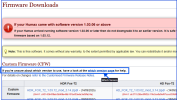
The instructions do stateI presume using a thumb drive is appropriate (or essential) for a first install, but would appreciate confirmation, thanks.
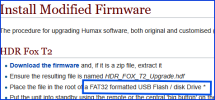
Full details here: Quick Guide to Custom Firmware (click)I have never updated to Custom Firmware, so wondered which of the Wiki links I can or should use as a first time install? I presume using a thumb drive is appropriate (or essential) for a first install, but would appreciate confirmation, thanks.

Do you still have the USB stick you used to install custom firmware on your existing HDR Fox T2? If you do use that one since it is known to be compatible with the boot loader.Is there some setting on the box that I need either on or off for this to work?
Yes thanks. I low level formatted the USB drive as FAT32 but it made no difference.Hi Rob
Have you checked this out?
Installation Step-by-Step
These instructions are relevant for when the HD/HDR-FOX has a live Internet connection, or can be provided with one temporarily. For situations where this is not convenient or desirable, see Installing and Configuring the Custom Firmware Without an Internet Connection (click).
Before you begin, you will need:
- A USB pen drive in FAT format, preferably empty (see Things Every... section 12);
- The HD/HDR-FOX connected to your home network and the Internet;
- A PC (or other computing device) able to access the...
David
Yes I have used exactly the same USB drive as I used last time but still no good. I have tried two others but no joy.Do you still have the USB stick you used to install custom firmware on your existing HDR Fox T2? If you do use that one since it is known to be compatible with the boot loader.
That would imply either you have the wrong contents on the USB stick, or your other HDR Fox T2 has a different version of the boot loader such that it supports the USB stick and this one does not.Yes I have used exactly the same USB drive as I used last time but still no good. I have tried two others but no joy.
Or the USB port has gone faulty. If using the USB port on the front of the hummy try the one on the back.That would imply either you have the wrong contents on the USB stick, or your other HDR Fox T2 has a different version of the boot loader such that it supports the USB stick and this one does not.
I would suggest it's more likely to be a dry joint. That's what happened on an HD unit I was trying to install CF on. If I held the stick at a certain angle in the socket it worked, and if I didn't it didn't.Or the USB port has gone faulty. If using the USB port on the front of the hummy try the one on the back.
I have a Hummy where the front USB port is faulty, I suspect the repair requires a similar component replacement to the repair for hard disk not starting problems
Yes I have tried both front and back USB ports. The back one did feel a little bit tighter but then the front didn't feel bad either. I also did check that the unit could read from the usb stick which it could. You can observe the light on the usb stick flash when trying to boot but it still does not start the upload.Or the USB port has gone faulty. If using the USB port on the front of the hummy try the one on the back.
I have a Hummy where the front USB port is faulty, I suspect the repair requires a similar component replacement to the repair for hard disk not starting problems, but I don't have enough round tuits to get organised enough to investigate it.
The version of the Loader on my old box is a7.30 and it's a7.31 on the newly purchased one.That would imply either you have the wrong contents on the USB stick, or your other HDR Fox T2 has a different version of the boot loader such that it supports the USB stick and this one does not.

