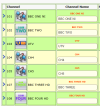
thank you that might be what it is then - i did in fact rename them . I have now blanked out the ones I renamed and saved, and restarted the box but the icons still not there but thats OK its not that important, I must have broke some link when I renamed them.@Andy-in-Ireland I’ve just realised that you have used “Channel Editor” to change the station names. So unless you’ve chosen an old station name where an icon of that name exists then, as you have discovered, you loose the icon for that channel. For BBC TWO and UTV you were lucky as the icons for the old SD channels still exist in the channel icon package. If you want the missing icons displayed then I suggest you restore the original names.
thanks i will give that a go@Andy-in-Ireland To get the original channel name back you can try this:
On the Foxsat remote select menu What and select Edit Channels (second icon down) and then Edit Channel List. From there find channels that aren’t show the icons in the CFW and delete them and then save the changes. Now go back into the menus and select Setup (third icon down) and run a Freesat tune.