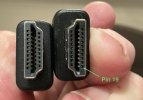
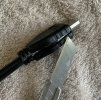
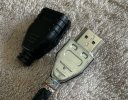
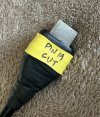
Oh wow, I had another go and made
HDMI sans-19 work.
Concerned there may be a difference between HD-FOX and HDR-FOX, I switched my attention to another set-up. found the V-FORMAT trick worked on there and then came back to the HD-FOX – and it works here too. I guess my original failure was not knowing what to expect, how long to wait.
After extensive experiments, this is what works:
2 or more presses of the V-FORMAT button in quick succession, it doesn't matter what the video format is so long as an input is registered.
The first press brings up the video format report, subsequent presses while the report is on-screen cycle through the 5 options*. Therefore, 6 presses in quick succession returns to the previous format. Then wait, because it takes about 4 seconds for video to return (at least, it does on my TV). This has to be done "blind", because until the video is restored you have no video and no on-screen graphics to guide you.
* The options are 576i, 576p, 720p, 1080i, 1080p – but the starting point in that cycle depends on how you left it.
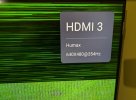
It doesn't matter whether "loss" of output is induced by reconnecting the HDMI lead, power-cycling the TV, or rebooting the 'FOX, the V-FORMAT trick restores output.
Initially I guessed that it was setting a lo-res format which would kick it into life, but actually no – any format change kicks it into life (including a "change" to the same video format). For some reason this is tricking the HD/HDR-FOX into ignoring the hot-plug-detect signal, and might not work on other equipment (Humax or otherwise).
Does this trick defeat or renegotiate HDCP ("green screen")? I have no means to test it myself, but I have received direct confirmation that it has in one specific case where a new TV would not co-operate with an existing HDR-FOX.
I have experimented with macros using the
ir package (
WebIF >> Remote). Bearing in mind
my default is 1080i (and have that set in
boot-settings), I have found defining the following macro restores video from boot:
Code:
DELAY5 V-FORMAT DELAY1 V-FORMAT DELAY1 V-FORMAT DELAY1 V-FORMAT DELAY1 V-FORMAT DELAY1 V-FORMAT
Naming the macro "boot" causes it to auto-run at start-up.
Note that the DELAY commands are pseudo-buttons on the virtual remote itself. There may be optimisations, but without the DELAY1 I found not all V-FORMAT got registered, and without the initial DELAY5 the sequence started before the system was ready.
For this to work, the TV must be turned on before you boot the 'FOX (or at least be ready to accept input by the time the macro finishes). To fix the video if the 'FOX is already booted (and you don't want to restart it), you could re-run the boot macro from
WebIF >> Remote, or assign a similar macro to a handset button* you don't use (or just press the V-FORMAT button 6 times).
*
This involves editing the map file, which is bookmarked at WebIF >> Diagnostics >> File Editor. See the wiki for details.
With the "boot" macro installed, starting up the 'FOX first displays the Humax splash screen, then the screen goes black (and the TV may report loss of signal). Then, after 15-20 seconds, the picture should establish.
If there are any errors in manual input (or, indeed, even the macro input, if any of the keypresses happen not to be registered), it may be necessary to restore your preferred video resolution, using V-FORMAT again.