I carried out this procedure
- extracted the card
- stashed the "precious" content
- formatted it as a non-ext volume externally
- re-introduced it to the Humax, formatted it for use, made it the recording device, installed Webif, and shut down
- copied over the precious content
- re-introduced it to the Humax, restarted.
At this point the on-screen disk information showed the plausible values. But after using the system, installing other packages, restarting, etc, for a few days, the incorrect capacity was displayed again.
In a second test I installed the desired packages alphabetically and observed that the double capacity issue appeared after installing
network_shares_automount. After removing it and restarting, the correct capacity was shown.
Previously, I also tried this:
- extracted the card
- stashed the non-precious card contents (ie, except
.../Video; 13k files in /mod)
- formatted it as an ext3 volume externally
- copied back the content, precious and not
- re-introduced it to the Humax.
This caused the double capacity to be shown immediately, while the actuality was shown in Webif and using
df -h /dev/sda1
Code:
Filesystem                Size      Used Available Use% Mounted on
/dev/sda1                58.0G      3.7G     51.4G   7% /media/drive1
(
network_shares_automount being in the stashed non-precious data).
Additionally, although the card was clearly readable (working Webif, playable content) and rw-mounted, the on-screen menu didn't allow me to set the card as the recording medium.





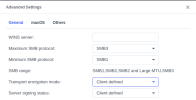
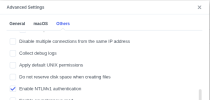
 All the settings in the Modsettings/smb folder are exactly as they were. Currently running firmware 3.13 build 4028.