I think I've hit an "unintended consequence".
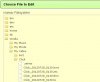
I have a radio recording xxx.ts in my [AUDIO] folder. Operating entirely within the WebIF, I perform an Extract Audio operation, so now I have xxx.ts and xxx.mp3. Then I delete the xxx.ts, which gets sent to the [Recycle Bin] leaving just xxx.ts. OK so far.
Now, "xxx" is actually a long string including the recording date and time, so I want to change it to "yyy". I do an OPT+ Rename (still in the WebIF), rename it - and the file vanishes from the [AUDIO] folder. Thank AF for undelete (although it might be the cause), I go to the [Recycle Bin] and find xxx.ts and xxx.mp3 in there.
So I tick xxx.mp3 and click "cut", but nothing happens. Then I try OPT+ "Cut to clipboard", which works. Return to [AUDIO] and paste - and both xxx.mp3 and xxx.ts are back (presumably gathered up because they have the same file name).
Then I thought I would try renaming xxx.mp3 before deleting xxx.ts - but they both renamed to yyy.mp3 and yyy.ts. However, deleting the yyy.ts leaves me where I want to be. Correction - having refreshed the various listings, yyy.ts and yyy.mp3 are in the [Recycle Bin].
In summary, I think there are various operations that are acting on xxx.*, whereas they actually need to operate on xxx.ts, xxx.hmt, xxx.nts, and xxx.thm if and only if the principle file is a .ts.